 Jellyfin
About
Jellyfin is the volunteer-built media solution that puts you in control of your media. Stream to any device from your own server, with no strings attached. Your media, your server, your way.
- Questions? Ask in the Cloudron Forum - Jellyfin
- Jellyfin Website
- Jellyfin issue tracker
Hardware transcoding
Cloudron 5.6 is the first release that supports hardware transcoding.
Jellyfin supports hardware acceleration on Linux - Nvidia NVDEC, VA API and Intel QuickSync. Cloudron does not support Nvidia at the time of this writing.
Follow these steps to check if your hardware supports transcoding and if Jellyfin can take advantage of it:
- Check the output of
vainfoon your server. You might have to runapt-get install vainfo libva2 i965-va-driverif that command is not available on your server. The output should look like below.VAEntrypointVLDmeans that your card is capable to decode this format,VAEntrypointEncSlicemeans that you can encode to this format.
vainfo
error: can't connect to X server!
libva info: VA-API version 1.1.0
libva info: va_getDriverName() returns 0
libva info: Trying to open /usr/lib/x86_64-linux-gnu/dri/i965_drv_video.so
libva info: Found init function __vaDriverInit_1_1
libva info: va_openDriver() returns 0
vainfo: VA-API version: 1.1 (libva 2.1.0)
vainfo: Driver version: Intel i965 driver for Intel(R) CherryView - 2.1.0
vainfo: Supported profile and entrypoints
      VAProfileMPEG2Simple            :	VAEntrypointVLD
      VAProfileMPEG2Simple            :	VAEntrypointEncSlice
      VAProfileMPEG2Main              :	VAEntrypointVLD
      VAProfileMPEG2Main              :	VAEntrypointEncSlice
      VAProfileH264ConstrainedBaseline:	VAEntrypointVLD
      VAProfileH264ConstrainedBaseline:	VAEntrypointEncSlice
      VAProfileH264Main               :	VAEntrypointVLD
      VAProfileH264Main               :	VAEntrypointEncSlice
      VAProfileH264High               :	VAEntrypointVLD
      VAProfileH264High               :	VAEntrypointEncSlice
      VAProfileH264MultiviewHigh      :	VAEntrypointVLD
      VAProfileH264MultiviewHigh      :	VAEntrypointEncSlice
      VAProfileH264StereoHigh         :	VAEntrypointVLD
      VAProfileH264StereoHigh         :	VAEntrypointEncSlice
      VAProfileVC1Simple              :	VAEntrypointVLD
      VAProfileVC1Main                :	VAEntrypointVLD
      VAProfileVC1Advanced            :	VAEntrypointVLD
      VAProfileNone                   :	VAEntrypointVideoProc
      VAProfileJPEGBaseline           :	VAEntrypointVLD
      VAProfileJPEGBaseline           :	VAEntrypointEncPicture
      VAProfileVP8Version0_3          :	VAEntrypointVLD
      VAProfileVP8Version0_3          :	VAEntrypointEncSlice
      VAProfileHEVCMain               :	VAEntrypointVLD
-
Enable Hardware transcoding in Jellyfin. Admin Dashboard > Playback > Transcoding.
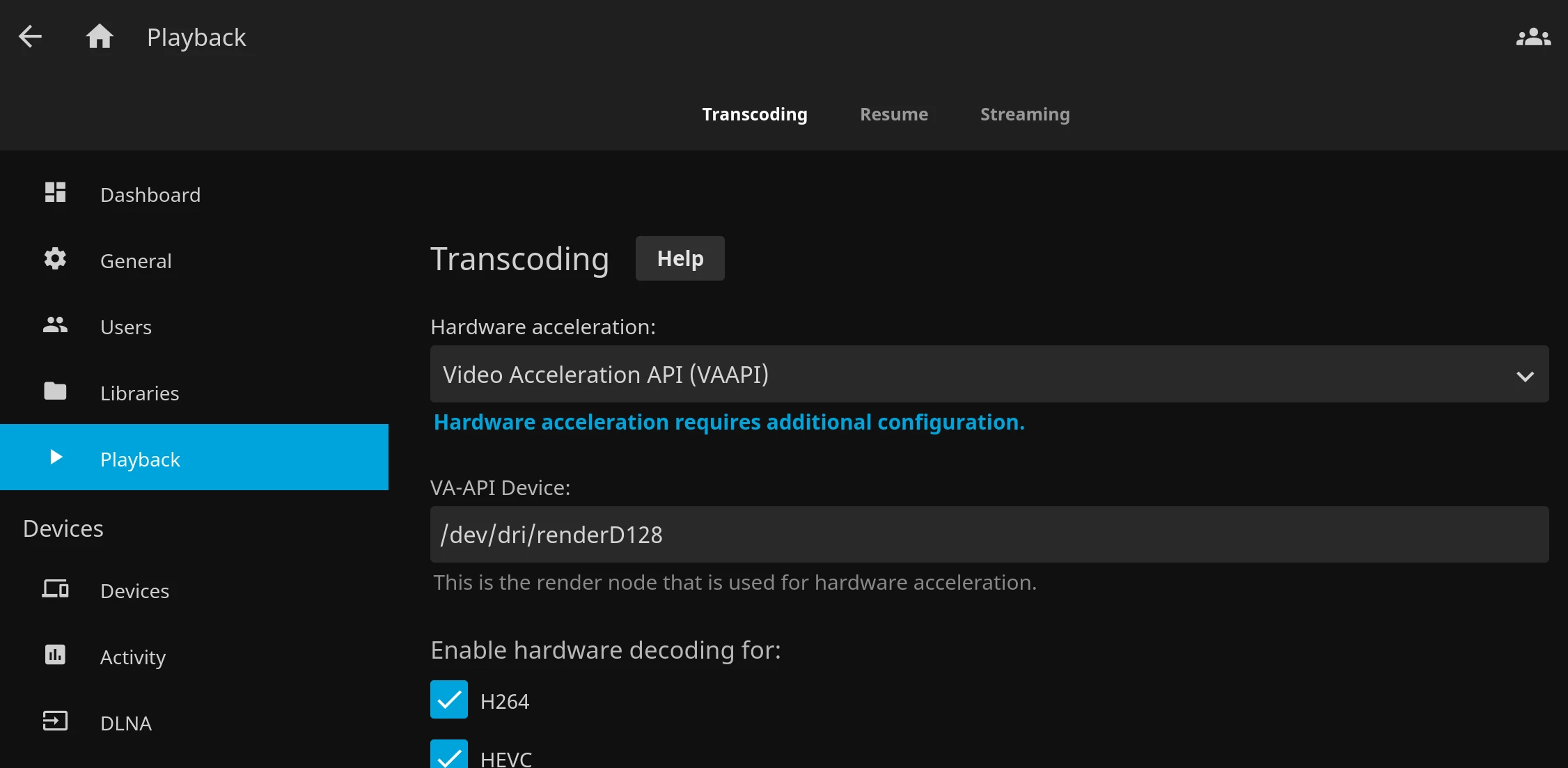
-
Next step is to check the Jellyfin logs of the name
FFmpeg.Transcode-*. This can be found at Admin Dashboard > Logs. They are also at/app/data/jellyfin/log. If this file does not exist, the video is probably not being transcoded. -
Finally, when the video is playing, open a new browser tab and see the
Active Devicesin the Emby dashboard. Click on 'i' for transcoding information.