 Discourse App
About
Discourse is a platform for community discussion. Free, open, simple.
- Questions? Ask in the Cloudron Forum - Discourse
- Discourse Website
- Discourse forum
Installing plugins
To install a plugin, open a Web terminal and run the following commands:
cd /app/code/plugins
git clone <plugin-repo>
chown -R cloudron:cloudron <plugin-dir>
cd /app/code
gosu cloudron:cloudron bundle exec rake plugin:install_all_gems
gosu cloudron:cloudron bundle exec rake db:migrate
gosu cloudron:cloudron bundle exec rake assets:precompile
Restart the application to double check everything works.
If the plugin modifies the posts in some way, you might want to rebake posts.
Use caution when installing plugins since they might break your installation. The list of official plugins can be found here.
Changing root account email
The email of the root account is root@cloudron.local. Discourse sends an activation email to the old
email address to switch email. Since we don't have access to the default email account, we have to use
the rails console to switch the email.
Open a Web terminal and run the following commands:
cd /app/code
gosu cloudron:cloudron bundle exec script/rails console
# The following lines start with "discourse(prod)>" that indicates the rails console is active
u = User.find_by_username("root")
u.email = "YOUR_NEW_EMAIL_ADDRESS"
u.save!
exit
Changing root account password
To change the password of the root account, open a Web terminal and run the following commands:
cd /app/code
gosu cloudron:cloudron bundle exec script/rails console
# The following lines start with "discourse(prod)>"" that indicates the rails console is active
u = User.find_by_username("root")
u.password = "YOUR_NEW_PASSWORD"
u.save!
exit
Changing domain
When changing the domain of an existing discourse installation, Cloudron automatically rebuilds the assets. However, the posts in the forum are not re-written. To rebake the posts, open a Web terminal and run the following command:
cd /app/code
gosu cloudron:cloudron bundle exec ruby script/discourse remap old.domain.com new.domain.com
Rebaking posts
To rebuild all posts (for example, to apply formatting provided by a newly installed plugin to old posts), open a Web terminal and run the following command:
cd /app/code
gosu cloudron:cloudron bundle exec rake posts:rebake
Importing Settings
Discourse allows importing settings from a file. This is useful for a faster configuration of plugins or discourse itself.
As an example, you install the plugin translator and wish to import a working configuration:
Example config file content for importing:
translator_enabled: true
translator_provider: LibreTranslate
translator_libretranslate_endpoint: https://com.libretranslate.cloudronapp.cloudron.dev
translator_libretranslate_api_key: e356cb19-3f06-4120-af2f-fa86df56f278
max_translations_per_minute: 30
This file has to be uploaded to the Discourse app with the Web Terminal.
Now you can import this file with:
gosu cloudron:cloudron bundle exec rake site_settings:import </tmp/settings.yml
This will import the given settings directly into the discourse database.
Restart the app.
After the restart, you should see the configuration applied in the admin view for all site settings.
Incoming email setup
-
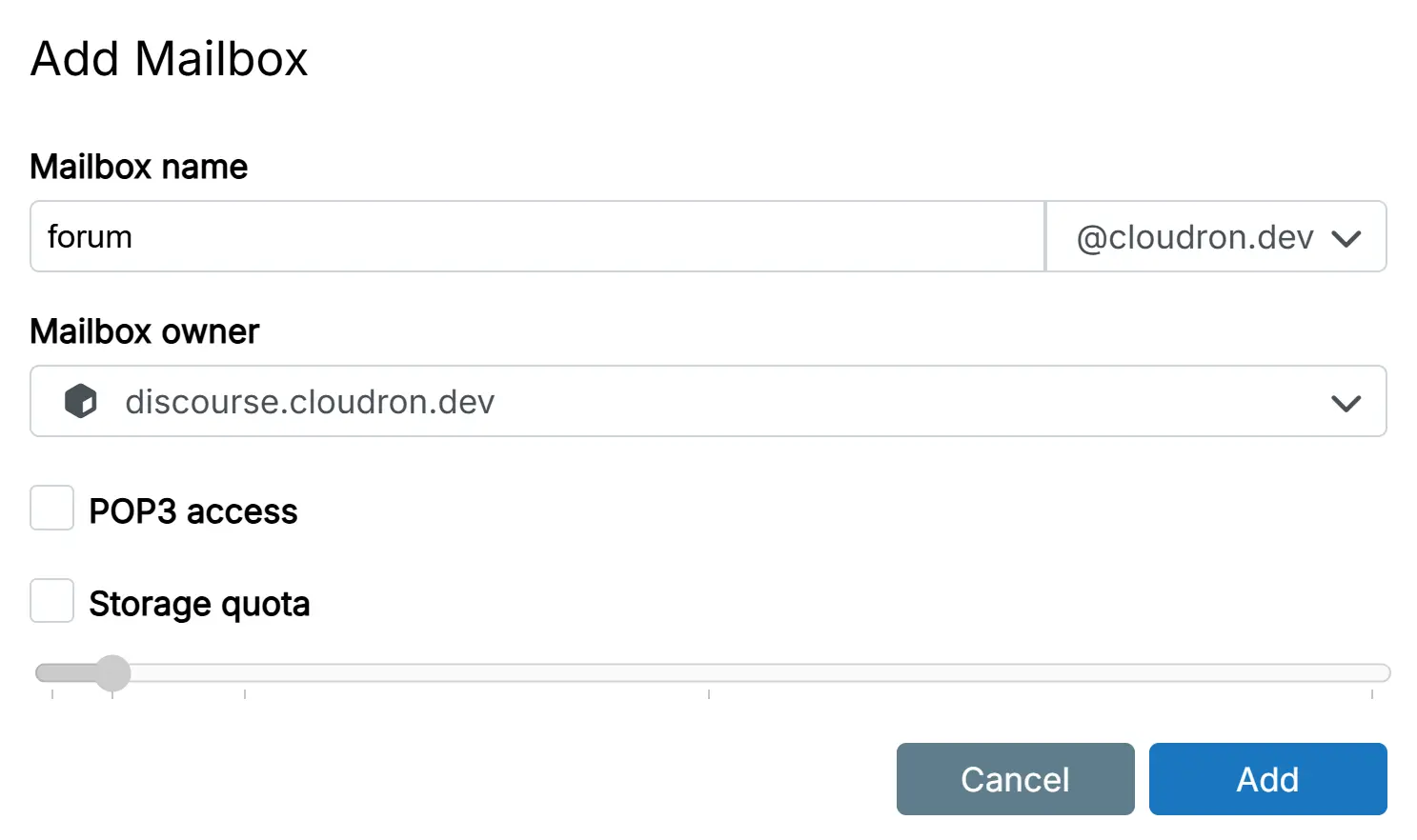
set up a mail inbox for your discourse app E.g.
forum@cloudron.dev -
enable pop3 for that mailbox
-
set the app as the owner of this mailbox
-
Set both the
Mail FROM AddressandIncoming mailto the same mailbox.
Discourse does not support having different mail from and incoming mail address
In Discourse, you'll need to enable email in in the administration settings.
Topic creation with unique category inbox name
To enable creation of new topics via email, go to the settings page of a category and set a custom incoming email address.
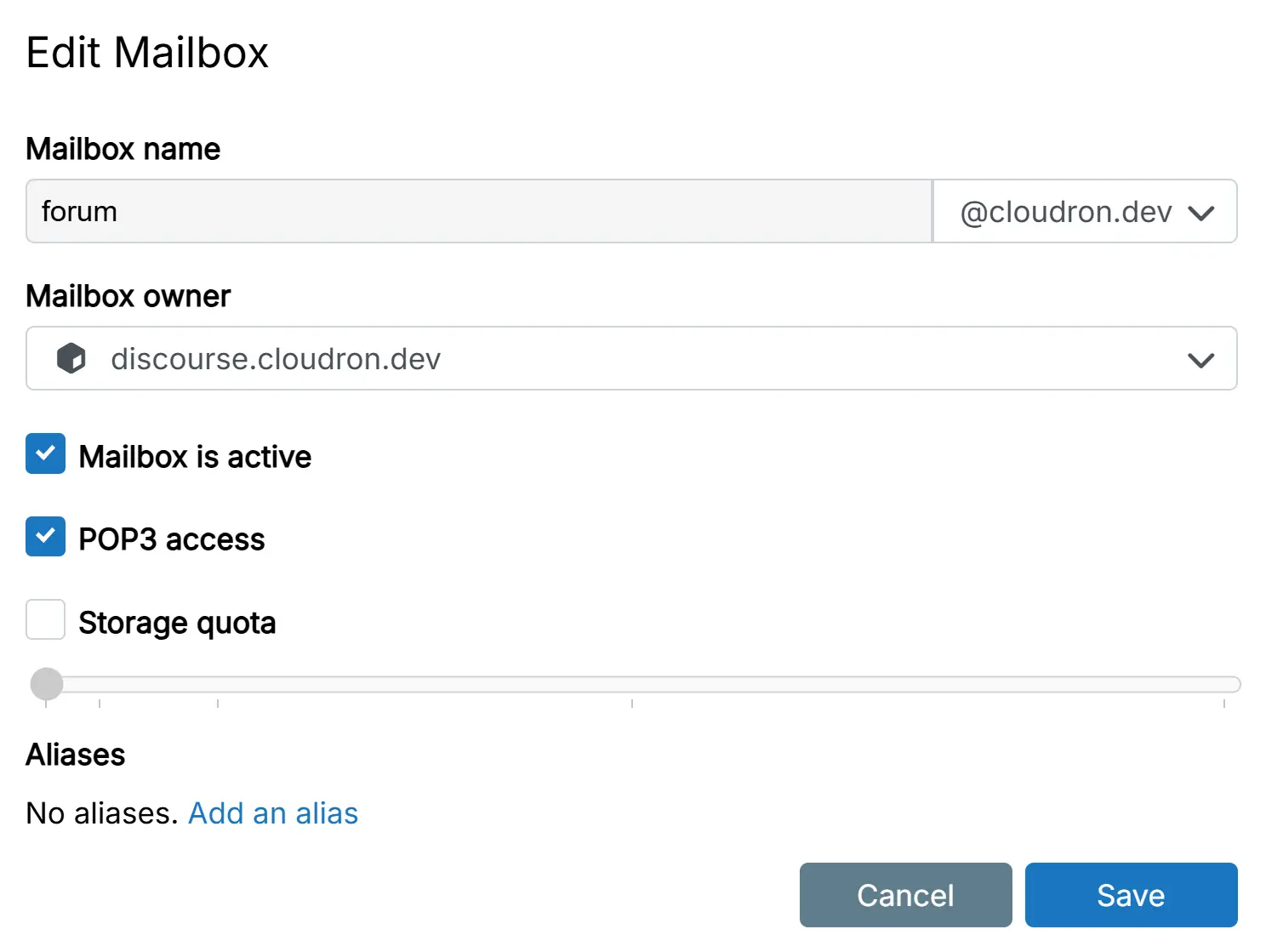
If you want unique addresses for categories you need to setup [mail aliases](../knowledge_base/email.md
#mail-aliases) for forum@YourMailDomain.TLD.
Say there is a category named offtopic then your [mail alias](../knowledge_base/email.md
#mail-aliases) should be something like forum@YourMailDomain.TLD.
Or create a wildcard [mail alias](../knowledge_base/email.md
#mail-aliases) * so that you can chose freely any category name.
If you want unique addresses for categories you need to setup aliases for forum@YourMailDomain.TLD.
Say there is a category named offtopic then your alias should be something like forum@YourMailDomain.TLD.